
 |
 |
 |
 |



 E-MAIL SETUP INSTRUCTIONS - OUTLOOK If using the Wizard setup or the instructions below, you will need to know these four things in advance:
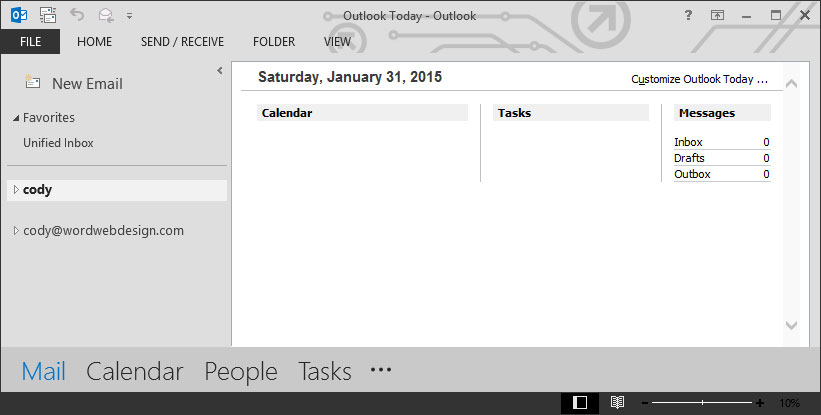
E-mail accounts are 'standard' POP3 accounts. Please contact us for setup on Microsoft Exchange Servers, or for IMAP options. Note these directions are for one of the newer versions of Outlook. Older instructions are also available: Outlook 2010-2013, and the older Outlook Express. STEP 1 Open Outlook and click the File button in the upper-left hand corner.
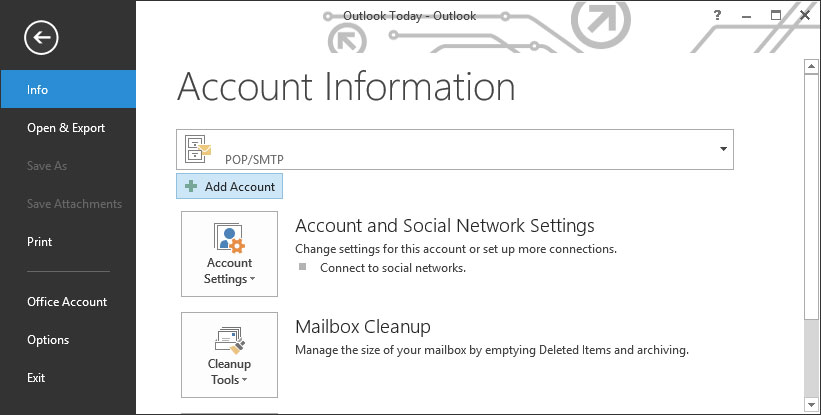
STEP 2 In the Info tab, click the Add Account button under Account Information.
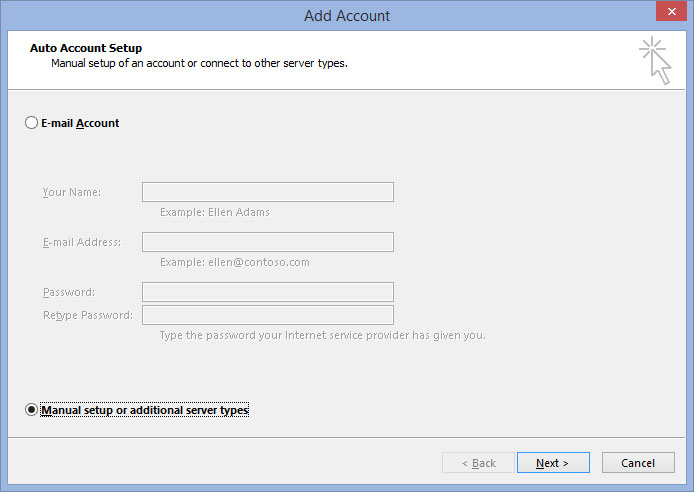
STEP 3 Check the Manual setup or additional server types button and click Next.
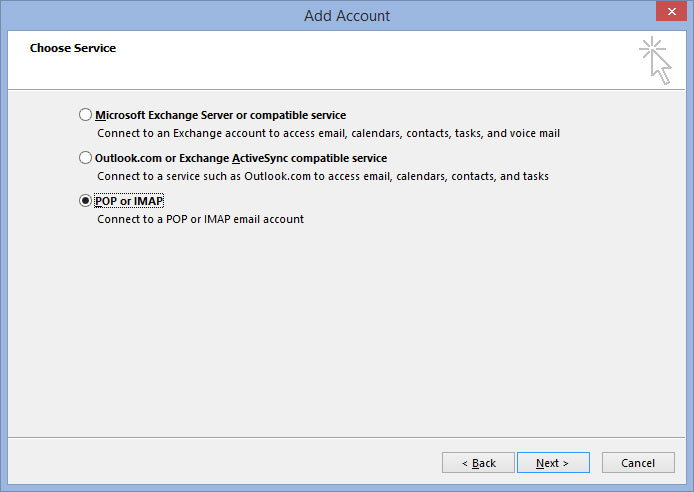
STEP 4 Check the POP or IMAP button and click Next.
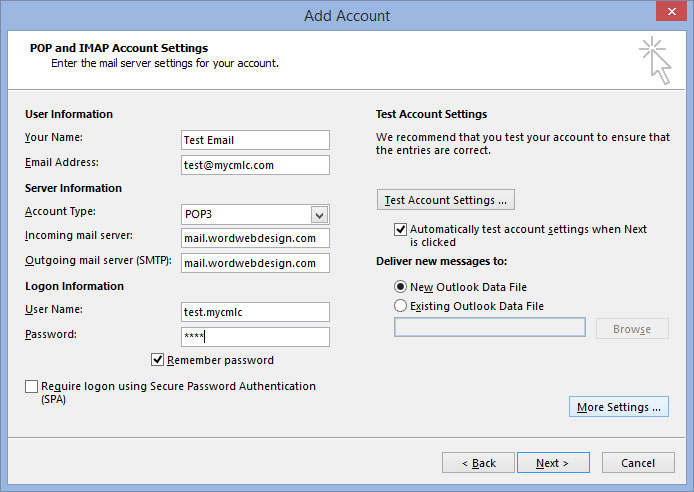
STEP 5 Fill out all the fields on the POP and IMAP Account Settings page. Under Your Name, enter your name as you’d like it to appear on the email. Under Email Address, enter your email address. Choose POP3 for the Account Type. Set both the Incoming and Outgoing Mail Server fields to mail.wordwebdesign.com. The User Name field under Logon Information should be set to your email prefix, a period, and your domain (ex.: test@mycmlc.com becomes test.mycmlc), with your password in the field below it. Also, check the Remember Password box. Then, in the bottom-right hand corner, click More Settings…
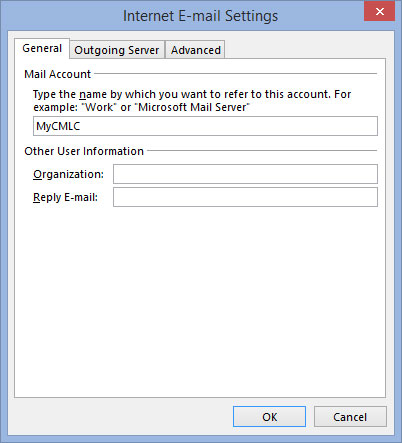
STEP 6 Under Mail Account, enter a name for your account that will show in Outlook when browsing your accounts. Then click on the Outgoing Server tab.
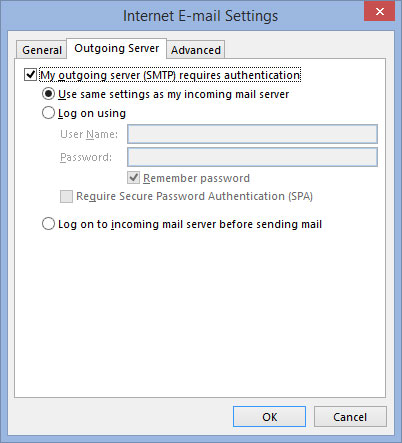
STEP 7 On the Outgoing Server tab, check the My Outgoing Server (SMTP) Requires Authentication box. Then click the Advanced tab.
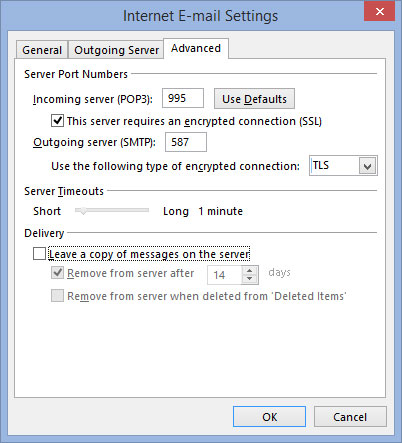
STEP 8 Set the Incoming Server (POP3) to 995, checking the box below it requiring encrypted connections. Then set the Outgoing Server (SMTP) to 587, setting the dropdown box just below that to TLS. Uncheck the box that reads Leave A Copy Of Messages On The Server. Then click OK.
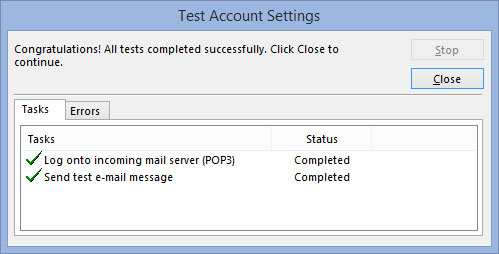
STEP 9 Click Next on the POP and IMAP Account Settings. A window titled Test Account Settings will come up to make sure that your provided information is correct. Note: sometimes the test will fail even when you entered everything perfectly! This is a bug in the Outlook connection profile. If you receive an error telling you that you cannot connect, close the window with the Close button and try testing again. If after three tests it doesn’t work, ensure your provided information is entered correctly (password mismatch, email spelling error, etc.)
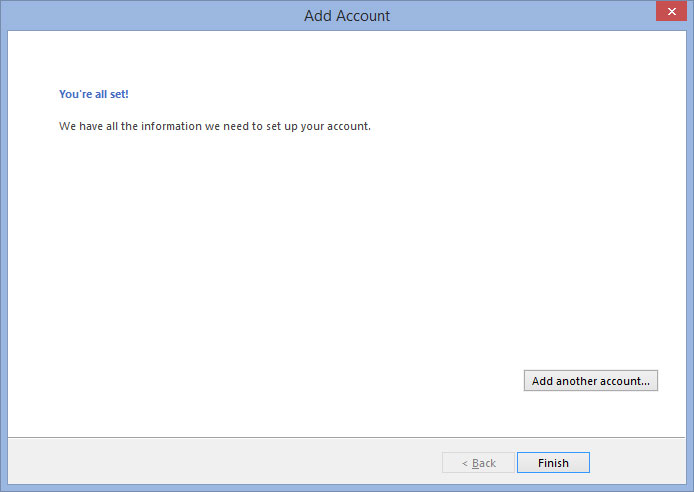
STEP 10 If the test was successful, you’ll be taken to a final page telling you your account is up and running. Click Finish.
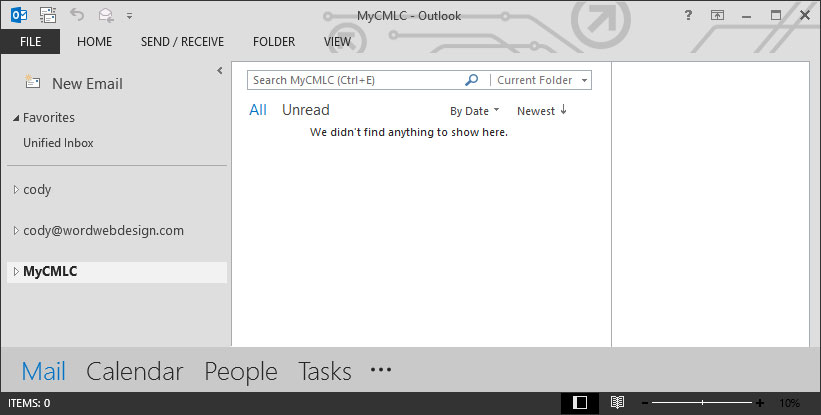
STEP 11 You’ll be taken to the main page where you can now begin using your new setup email account!
Questions? Call us at 503-869-4970. Thank you for choosing WORD Web Design for your e-mail needs.
HOME | WEB DESIGN | PORTFOLIO | TESTIMONIALS | RFQ | BRANDING | COPYWRITING | WEB HOSTING | SEO |
||||||
|
||||||


Copyright © 2010- WORD Web Design - All Rights Reserved